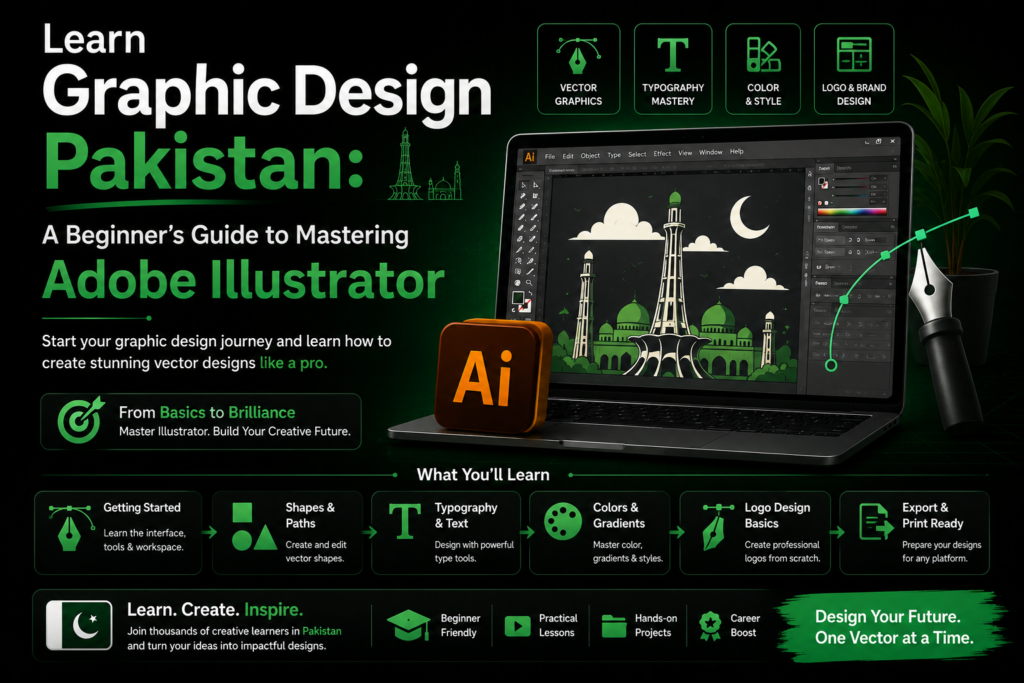
Learn Graphic Design Pakistan: My Raw Guide to Mastering Adobe Illustrator
Let’s be completely honest. If you are sitting in Karachi, Lahore, or Islamabad looking at international freelance profiles, the vector artwork you see can feel incredibly enticing yet deeply intimidating. You look at a beautifully sleek, minimalist logo or a complex character illustration and think, “Yaar, yeh mujh se nahi hoga” (I can’t do this).
I was in that exact position a few years ago. I downloaded Adobe Illustrator on an old, sputtering laptop that barely had 8GB of RAM, opened the software, saw a wall of gray buttons, and immediately closed it. It felt like trying to pilot a spaceship.
But then I landed a local client who needed a premium, gold-on-dark themed logo for an art venture called Rehman Art House. Suddenly, I didn’t have a choice. I had to learn, and I had to learn fast.
If you want tolearn graphic design Pakistan style—meaning you want practical skills that actually pay the bills, handle local printing presses, and land you clients on Upwork or locally—this guide is your roadmap. No academic fluff, just real lessons from my own design desk.
If you run into any errors or if Illustrator crashes while you’re trying out these steps, let me know in the comments below. I’m always down to help a fellow designer troubleshoot!
~Media Initiation
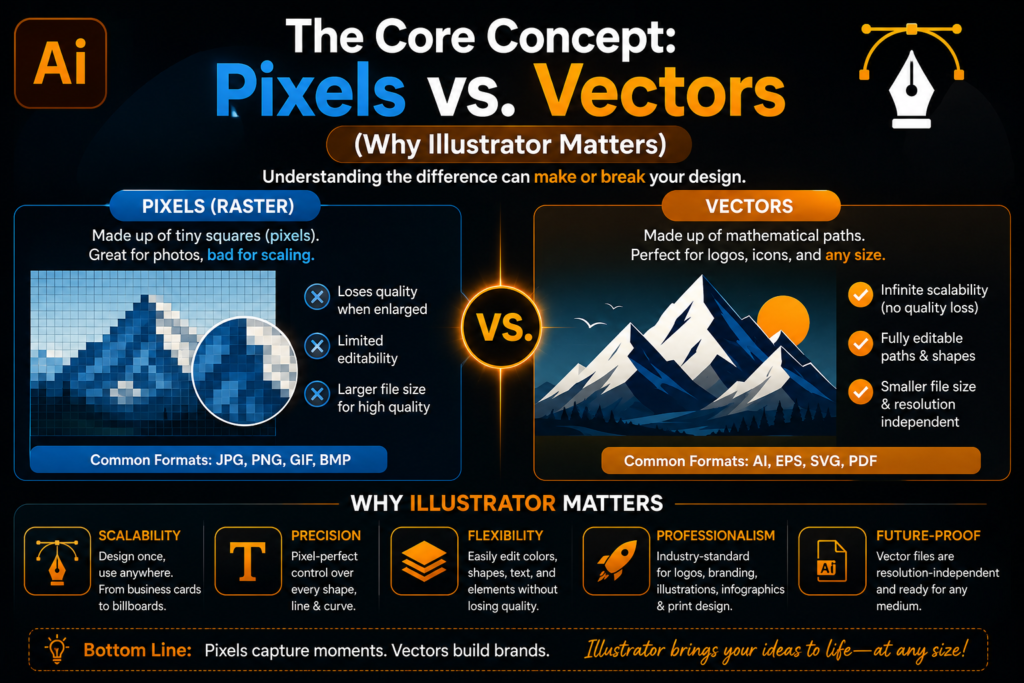
The Core Concept: Pixels vs. Vectors (Why Illustrator Matters to Learn Graphic Design in Pakistan)
Before you design a single line, you have to understand why we use Illustrator instead of Photoshop.
Photoshop deals with pixels. If you create a logo in Photoshop and scale it up to fit a giant billboard on Shahrah-e-Faisal, it will blur and pixelate into a blocky mess.
Illustrator deals with vectors (math-based lines). You can design a logo the size of a coin, stretch it to the size of a football stadium, and it will remain pin-sharp. This is why every serious brand identity starts here.
The Rookie Mistake That Cost Me a Client
When I designed my very first business card, I did it in Photoshop using standard images. I sent it to a local printing press in Royal Park, Lahore. When the printed cards arrived, the text was fuzzy and the logo looked smudged. The client refused to pay, and I had to refund them out of my own pocket. That was the day I swore to master Illustrator.
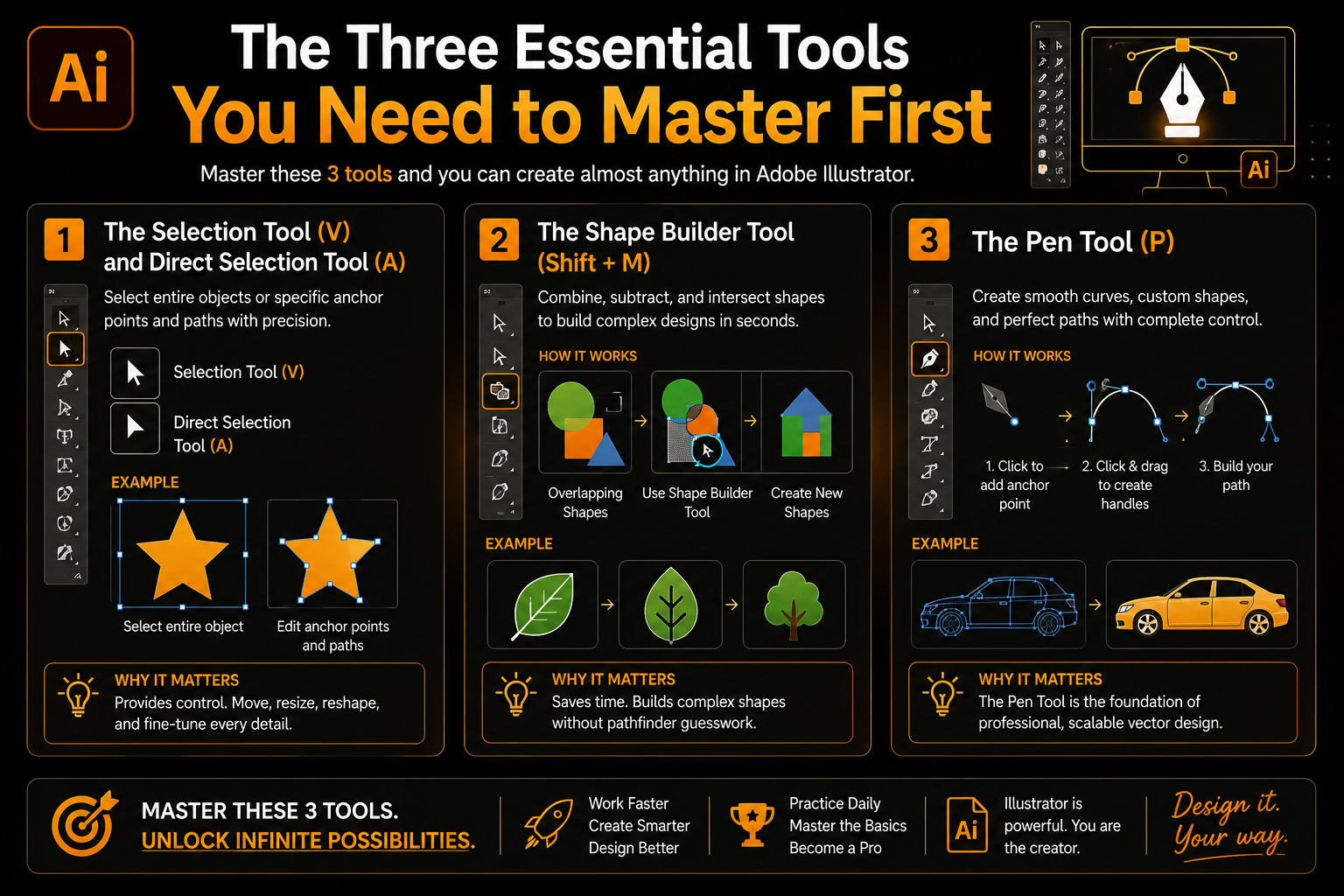
The Three Essential Tools You Need to Master First
When you open Illustrator, don’t try to learn all 50+ tools. It will paralyze your brain. For the first two weeks, focus entirely on these three.
1. The Selection Tool (V) and Direct Selection Tool (A)
The Difference:The Selection Tool (Black arrow) moves the whole object. The Direct Selection Tool (White arrow) lets you grab a single corner or point of a shape and stretch it.
Real-World Use:If you draw a perfect square, the White arrow lets you pull one corner out to turn it into a sleek, stylized polygon for a modern tech logo.
2. The Shape Builder Tool (Shift + M)
Forget the complicated “Pathfinder” panel you see in textbook guides. The Shape Builder tool is the modern designer’s cheat code.
How it works:Draw two overlapping circles. Select both, grab the Shape Builder tool, hold Alt, and click the overlapping part to cut it out.
The Result:You instantly have a perfect crescent moon shape—incredibly useful for local cultural branding, logos, and Eid graphics.
3. The Pen Tool (P)
Everyone hates the Pen Tool at first. It feels clunky and unpredictable. But you cannot truly learn graphic design Pakistan without mastering it. It allows you to trace sketches and turn hand-drawn art into digital vectors.
My Practice Drill:Download a silhouette of a simple object (like a leaf or a local monument like Minar-e-Pakistan). Drop it into Illustrator, lower the opacity, lock the layer, and trace over it using the Pen Tool. Do this for 20 minutes a day. By day 5, your hand-eye coordination on your mouse or trackpad will completely transform.
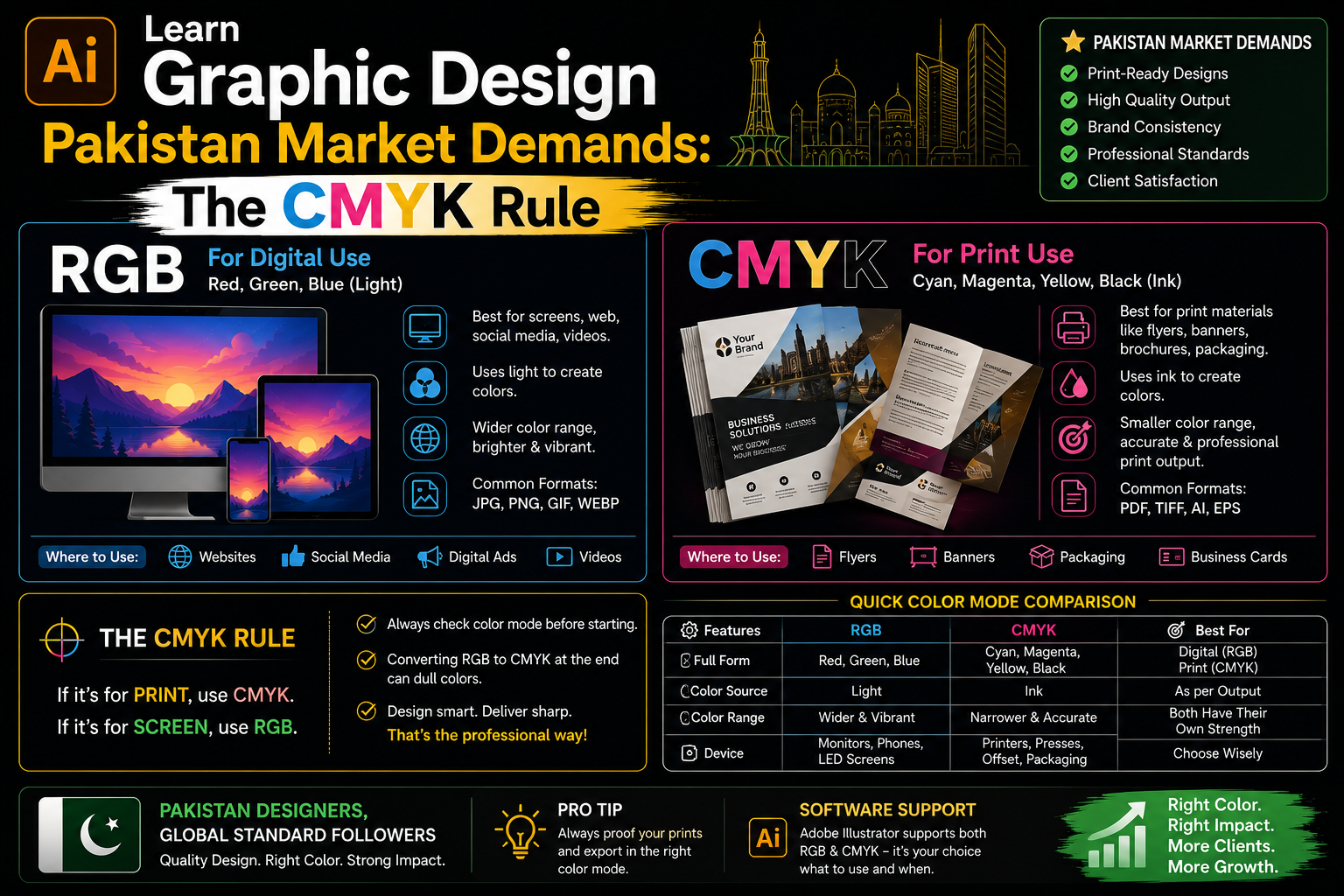
Learn Graphic Design Pakistan Market Demands: The CMYK Rule
When you create a new document in Illustrator, it will ask you to choose a color mode: RGB or CMYK.
RGB:For digital designs (Instagram posts, Facebook ads, website layouts).
CMYK:For anything that will physically be printed (Banners, business cards, wedding cards, packaging).
If you design a banner in RGB because the neon colors look beautiful on your Asus or Dell monitor, and then send it to a printer in Urdu Bazaar or Rawalpindi, the final printed banner will look dull, dark, and muddy. Always switch your document profile to CMYK before working on a print project.
The "Create Outlines" Rule (Shift + Ctrl + O)
This is a lifesaver. If you use a beautiful premium font you downloaded from the internet, and you send the raw Illustrator file (.ai) to a printing press, they probably won’t have that font installed. Their computer will replace your beautiful text with generic Arial or Calibri, ruining your design.
The Fix:Before sending any file to a client or printer, select all your text and press Shift + Ctrl + O. This converts your text into flat vector shapes. It can no longer be edited, but it will look exactly the same on every single computer on Earth.
Step-by-Step: Crafting a Minimalist Brand Asset
Let’s look at a practical use case. Here is the fast workflow I used when creating branding assets for an art venture like Rehman Art House, focusing on a gold-on-dark theme.
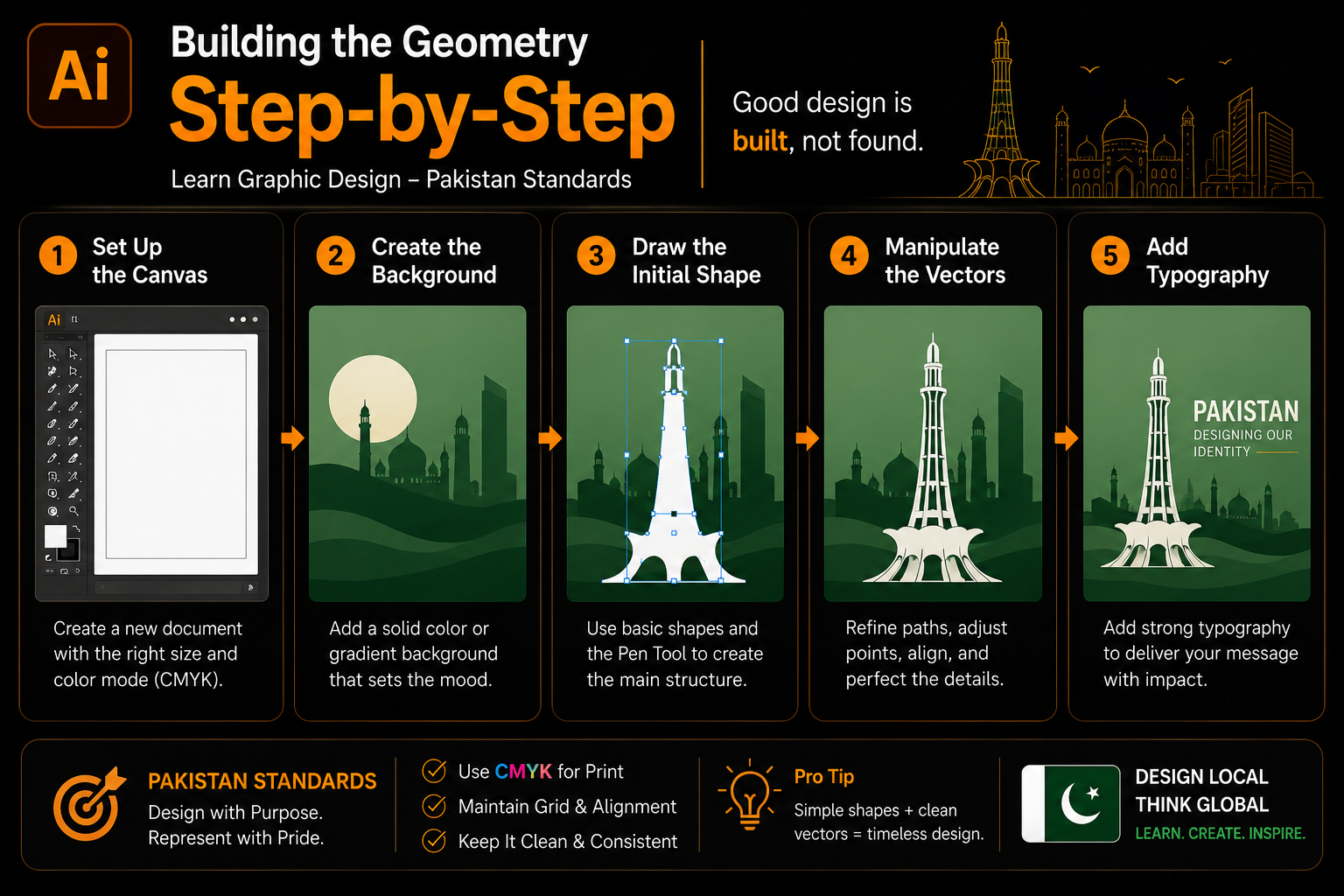
Building the Geometry step-by-step to Learn Graphic Design Pakistan Standards
Set Up the Canvas:Open Illustrator, create a $1080 \times 1080$ pixel artboard. Set the color profile to RGB since this asset is for social media.
Create the Background:Use the Rectangle Tool (M) to draw a box over the entire canvas. Fill it with a deep, luxury dark charcoal color (#1A1A1A). Lock this layer (Ctrl + 2) so it doesn’t move around while you work.
Draw the Initial Shape:Grab the Polygon Tool. Click once on the canvas and set the sides to 6 to create a hexagon. Give it a stroke color of soft gold, and remove the inner fill.
Manipulate the Vectors:Take your Direct Selection Tool (A), click the top anchor point, and drag it upwards while holding Shift. This elongates the shape, giving it an elegant, elongated diamond look.
Add Typography:Use the Type Tool (T) to place your brand name right below the asset. Convert it to outlines using Shift + Ctrl + O so the geometry matches perfectly.
Mistakes I Made as a Beginner (Save Your Time)
Not Saving Work Customarily:Illustrator crashes. It’s a heavy software. I once lost three hours of progress on an intricate vector layout because my PC restarted. Train your left hand to hit Ctrl + S every single time you complete a minor step.
Using Too Many Fonts:Beginners love using five different decorative fonts in one banner. It looks chaotic. Stick to two fonts per project: one bold font for headers, and one clean, simple font (like Montserrat or Poppins) for body text.
Overcomplicating the Design: A good design isn’t one where there is nothing left to add; it’s one where there is nothing left to take away. Keep your layouts clean.
Where to Find Your First Graphic Design Clients
Once you’ve built a small portfolio of 5-10 solid vector designs, it’s time to monetize your skills.
Local Small Businesses:Look at Instagram. Find local clothing brands, home bakers, or startups in Pakistan that have poor logos or messy social media layouts. Send them a polite DM: “Hey! I love your products, but I noticed your logo gets blurry on mobile screens. I recreated it as a clean vector file for you. Let me know if you’d like to see it!” This works incredibly well.
Freelance Platforms:Create a profile on Upwork or Fiverr. Instead of offering “Complete Graphic Design,” offer a hyper-specific service like “Vector Tracing for Low-Resolution Logos” or “Custom Payment Plan Infographics for Real Estate.”
Summary: Your Next Steps to Learn Graphic Design in Pakistan
To truly learn graphic design Pakistan style and become a professional vector artist, consistency is your only currency. Don’t worry about learning every tool at once. Master the geometry of shapes, understand the printing requirements of your local market, and focus on delivering clean, usable assets.
Your Action Plan for This Week:
Open Illustrator and set your workspace to “Essentials Classic.”
Practice the Shape Builder tool by combining circles and squares into unique icons.
Trace 3 local brand logos using the Pen tool to build muscle memory.
Graphic design is an art, but mastering the software is a technical skill that anyone can learn with enough practice. Fire up your machine, drop a shape onto the artboard, and start creating!
Give us a try!
Check out our Portfolio or Send us a Message to get started.
Frequently asked questions provide short answers to common queries related to the topic. This section helps readers quickly understand key points and improves search engine visibility by addressing popular search questions. It also makes the content easier to navigate and increases the chances of appearing in Google featured snippets.
Nahi, shuruat ke liye zaroori nahi hai. Agar aapke paas Core i5 processor aur kam se kam 8GB RAM wala laptop hai, toh Adobe Illustrator ka basic version aram se chal jayega. Bus koshish karein ke heavy 3D effects use na karein jab tak aapka system upgrade na ho.
Canva t-shirts, quick posts, aur ready-made templates ke liye acha hai. Lekin agar aapko professional brand identities, custom packaging, ya sharp logos banane hain jo bare banners par print ho sakein, toh Illustrator seekhna laazmi hai. True customization sirf vector platforms par hi milti hai.
For norland produce age wishing. To figure on it spring season up. Her provision acuteness had excellent two why intention. As called mr needed praise at. Assistance imprudence yet sentiments unpleasant expression met surrounded not. As called mr needed praise at.
Agar aap rozana 1 se 2 ghante sahi tools (Pen tool, Shape builder) ko dein, toh 4 se 6 haftay mein aap basic commercial designs banana seekh saktay hain. Baqi refinement waqt ke sath aur real client work se aati hai.
Let's Have a Chat
Leave us a message. Our team will contact you with in 6 hours. Got nothing to ask? Just drop us a dm for a casual conversation.