CapCut vs Professional Video Editing: What Your Business Actually Needs
When I first began producing videos for small-scale businesses and brand marketing the post-production process was slow and costly. Making three short vertical videos each week demanded an editor that was dedicated to a top-of-the-line desktop PC equipped by Adobe Premiere Pro or DaVinci Resolve. The process of rendering timelines took hours and even minor changes to captions resulted in waiting for the revisions to the exports.
Nowadays, apps that are accessible like CapCut allows entrepreneurs, marketing leaders and solo creators to make clean, exciting videos straight on an iPhone, Android device, or laptop that is lightweight in a matter of just a few minutes.
But, picking between capcut vs professional video editing isn’t an easy decision of which is less expensive. Making use of mobile apps with a quick speed for each project could make your brand appear cheap while hiring professional editors for every social update of 15 seconds could drain your budget for operations. This is my step-by-step guide for choosing the most appropriate process for your company’s goals.
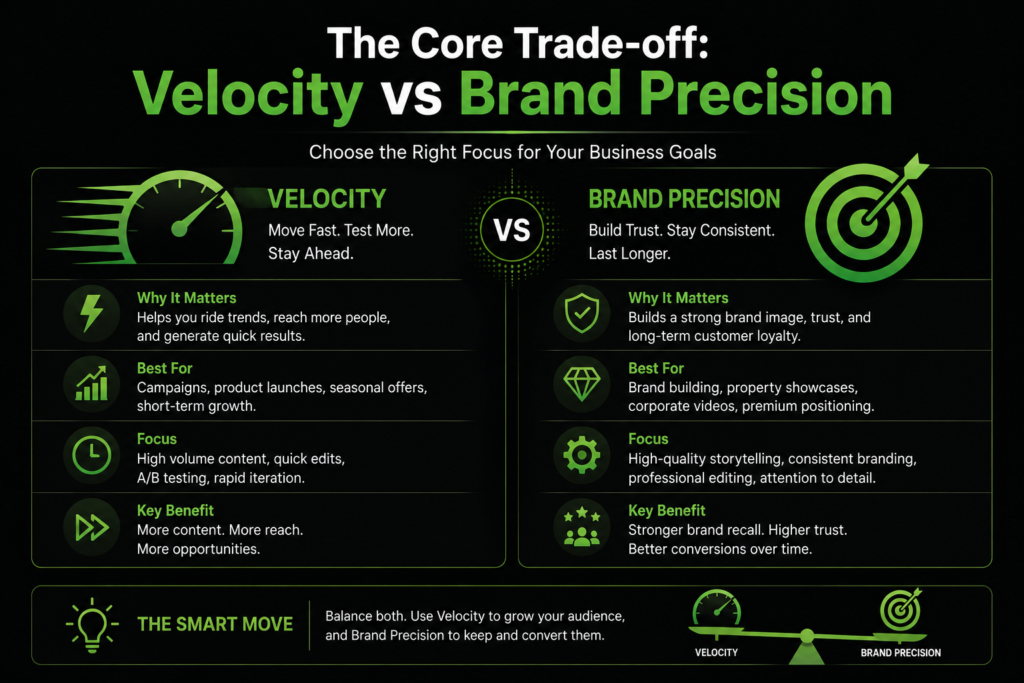
The Core Trade-off: Velocity vs Brand Precision
Evaluation of capcut vs professional video editing boils down to the balance between speed and creative control.
CapCut is designed for raw output speed. Its interface for editing via taps, integrated auto-caption generators as well as background removal tools and trend templates allow you to record a short video on your phone during your lunch break, and then publish it prior to when your afternoon meetings begin.
On the other hand professionals Non-Linear editors (NLEs) such as Adobe Premiere Pro, Final Cut Pro and DaVinci Resolve offer complete granular control. They permit you to apply your own brand-specific color grading with Lumetri scopes, do multi-track audio mixing using parametric equalizers, and handle complicated, multi-layered timelines that span different camera angles.
Which editor do you currently employ for your company content? Leave a comment below indicating the primary channel you use and let’s discuss the best workflow to use for your team!
~Media Initiation
Head-to-Head Comparison: CapCut vs Professional Video Editing
To help you determine which one is best suited to your business activities, let’s look at how these two approaches are compared against key commercial elements:
Factor
CapCut (Mobile / Desktop)
Professional Video Editing (Premiere / DaVinci)
Learning Curve
Extremely low. Learn the fundamental features in less than 1 hour.
Medium to Steady; needs instruction in the management of timelines.
Turnaround Time
10-30 minutes per video.
2 – 6 hours based on the complexity and number of revisions.
Hardware Requirements
Standard smartphone or mid-range laptop.
A powerful workstation that has a an exclusive GPU as well as high-speed RAM.
Brand Customization
Limited Access to Standard apps fonts and templates.
Unlimited; customizable motion graphics, fonts for brands and precise color hex codes.
TV ads, website homepage video, long-form YouTube documentaries.
Examining capcut vs professional video editing using this lens, we can see that neither can replace the other, they each meet completely different needs within the modern marketing funnel.
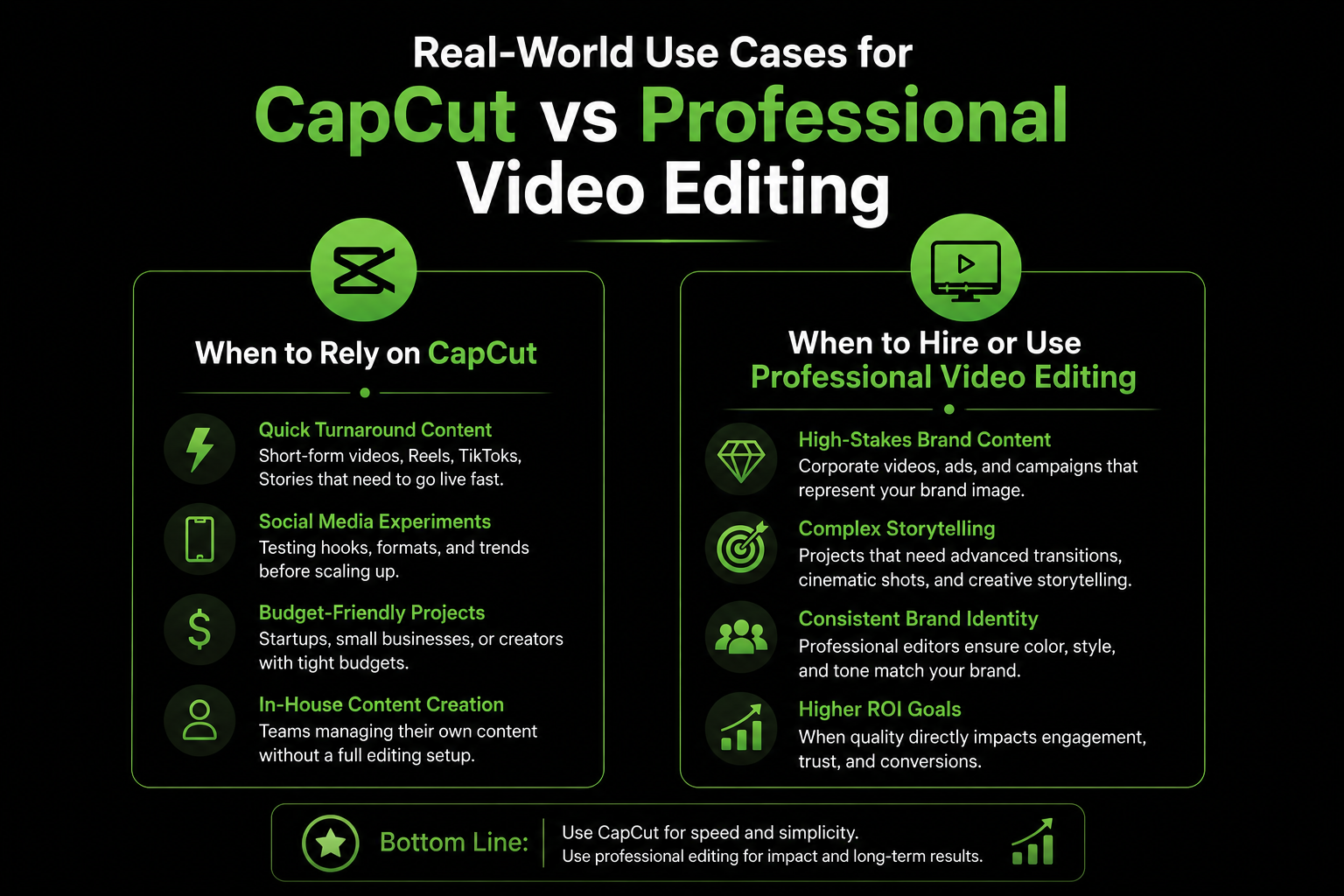
Real-World Use Cases for CapCut vs Professional Video Editing
In my work with digital strategy one of the biggest mistakes I see businesses make is applying the same editing method to each footage that they create. Here’s how to distribute your resources in a way that is efficient.
When to Rely on CapCut
Daily Social Media Updates:If you run an online store, small-scale restaurant or service-based business posting regular unboxing reels, testimonials from customers and rapid product updates require speed. CapCut is a top choice because of auto-captioning features can save the time of manually transcribing.
Reaction and trend content:When a social trend develops, taking action on it within a matter of 24 hours is crucial. The comparison of capcut vs professional video editingin terms of speed of reaction results in CapCut an unbeatable advantage every time.
When to Hire or Use Professional Video Editing
Paid Meta and YouTube Branding campaigns:When running high-budget video advertisements, even the smallest aspects are important. Professional color grading guarantees that the color of your product is in line with reality. Additionally, exact audio balancing will ensure that your voiceover is crisp across TV screens and premium headphones.
Corporate and YouTube Hero Video:Your website homepage video will create your brand’s first impression. A heavy-on-template CapCut video that has generic transitions could make an established business appear unprofessional. A dedicated editor that uses professional software can provide refined visual hierarchy, customized brand fonts and cinematic rhythms.
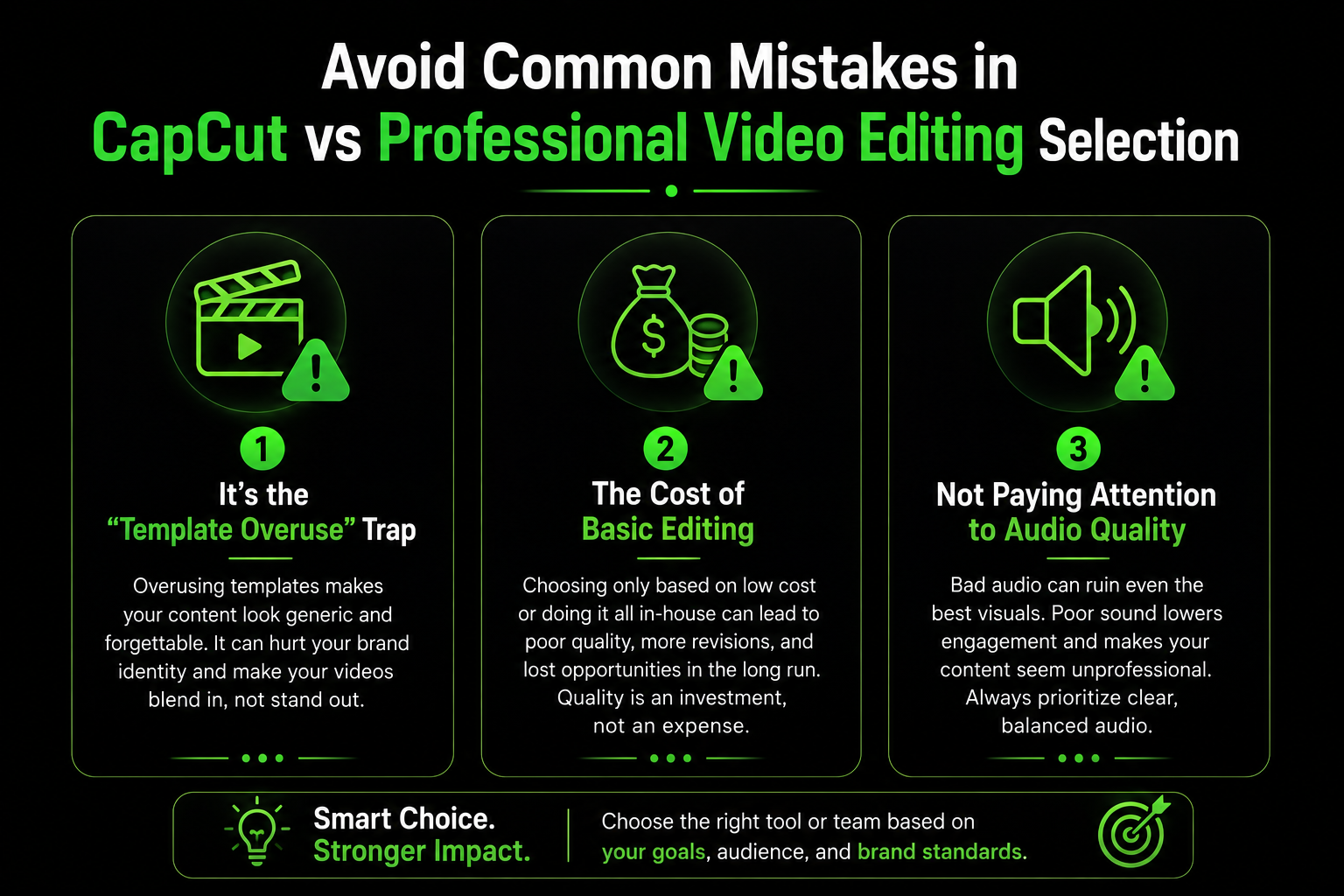
Avoid Common Mistakes in CapCut vs Professional Video Editing Selection
Making the right choice for your video production system is about avoiding three operational traps:
It’s the “Template Overuse” Trap:Using a lot of CapCut’s virally popular templates can make your company look like hundreds of other designers. Always personalize text colors, fonts and layout framing in order to ensure your brand’s identity.
The cost of basic editing:Paying an external agency or editor $150 to trim a 15 second talking-head clip isn’t efficient. Training an internal team member to manage simple cuts within CapCut.
Not paying attention to Audio Quality:A lot of beginners concentrate solely on the video software options, and do not pay attention to the raw audio of their microphone. Both CapCut as well as Premiere Pro can completely save recordings that are damaged by winds or a the echo of a loud room. Consider investing in a basic wireless lapel microphone to begin.
A careful balance of capcut vs professional video editing ensures that your expenses for video marketing affordable while protecting your brand image.
Summary
The decision betweenCapcut vs professional video editing isn’t about picking one winner, but rather implementing an integrated strategy. Make use of CapCut to ensure a high publication speed for your daily social media updates. You can also use professional editing software for brand assets that are high-risk such as paid advertisements, as well as long-form video content. The combination of the mobile speed devices and the accuracy of professional post-production offers your business the ideal blend of polish, consistency and ROI.
Give us a try!
Check out our Portfolio or Send us a Message to get started.
Frequently asked questions provide short answers to common queries related to the topic. This section helps readers quickly understand key points and improves search engine visibility by addressing popular search questions. It also makes the content easier to navigate and increases the chances of appearing in Google featured snippets.
Yes you can, especially for short-form social media content such as Instagram Reels, TikToks, and YouTube Shorts. Its auto-captions feature as well as background removal and quick ratio adjustments make it ideal for publishing social content on a daily basis.
For the daily content on social media Training an internal team member on how to utilize CapCut is much quicker and less expensive. Hire professional editors from outside for high-budget brand films, paid advertisements, and more complex lengthy video productions.
CapCut permits basic exports of projects but transferring more complex timelines with multiple tracks directly into professional programs like Premiere Pro and DaVinci Resolve requires manual re-editing. It is recommended to select your editing platform prior to starting any major project.
CapCut runs flawlessly on modern smartphones and laptops. Professional NLEs such as Premiere Pro or DaVinci Resolve require laptops or desktops that have powerful processors with dedicated graphics cards as well as at least 16GB- 32GB RAM.
Let's Have a Chat
Leave us a message. Our team will contact you with in 6 hours. Got nothing to ask? Just drop us a dm for a casual conversation.