Repurpose Video Content for Social Media: CapCut vs Pro Editors
When I began to help local businesses establish the online reputation of their brands, the process of creating vertical videos was like a never-ending treadmill. Making a 10-minute long-form film or podcast required hours of work, and making shorter clips to be posted on Instagram, TikTok, and YouTube Shorts took up a lot of work days. I stayed up late on a desk workstation using Adobe Premiere Pro, painstakingly cutting timelines, re-framing images of landscapes to horizontal aspect ratios of 9:16 and typing subtitles.
Eventually, I realized the process of creating everything from scratch each daily was no longer sustainable. The key to maintaining a steady social media presence without exhaustion is to learn how to repurpose video content for social media effectively.
After you have established a proper process, one recording can be turned into a dozen short clips. This raises the most important issue for content owners and business groups: should you utilize quick mobile-friendly tools such as CapCut or go with an editing program that is professional? This is my tried-and-true, practical breakdown of the pros and cons to help you choose.
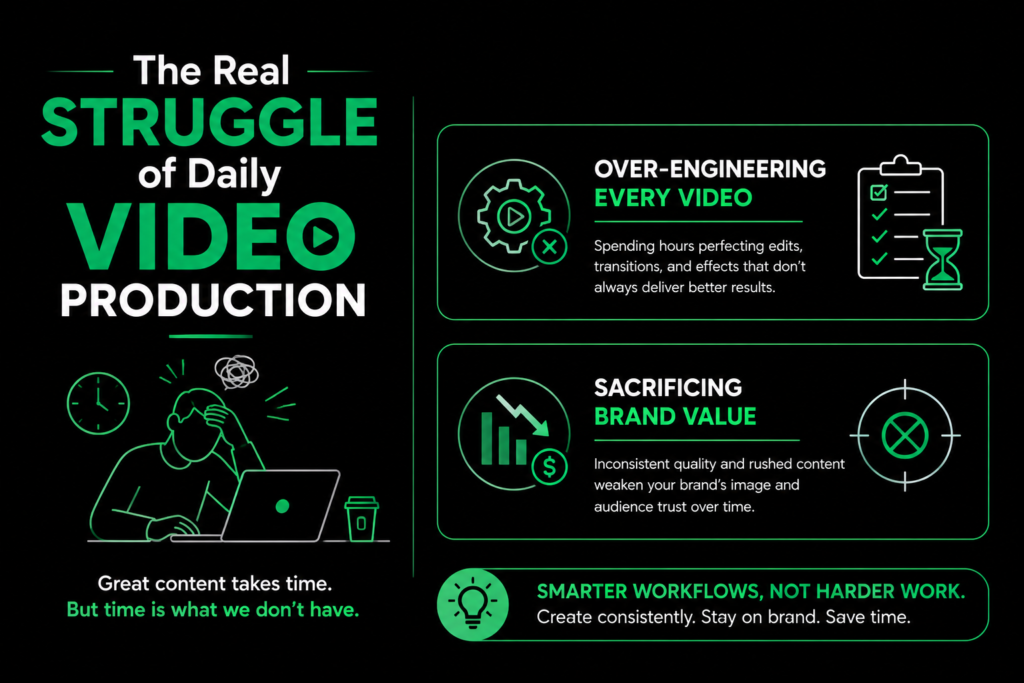
The Real Struggle of Daily Video Production
The majority of small-sized creators and businesses are caught in 2 traps while trying to increase their visibility:
Over-Engineering Every Video:Every 15-second update or reaction clip through a specialized professional post-production pipeline can slow down publication and saps the energy of team members.
Sacrificing Brand Value:Using purely automated templates that do not fine-tune the framing, text or audio could make brands that are well-known appear cheap and unoriginal.
If your main goal is to repurpose video content for social media Finding the right balance between the speed of production and the quality of your video will determine if your strategy generates sales leads or is a waste of time.
What are you currently doing to edit your lengthy videos for shorter social feeds? Leave a comment below with your preferred editor and let’s discuss tips for workflow!
~Media Initiation
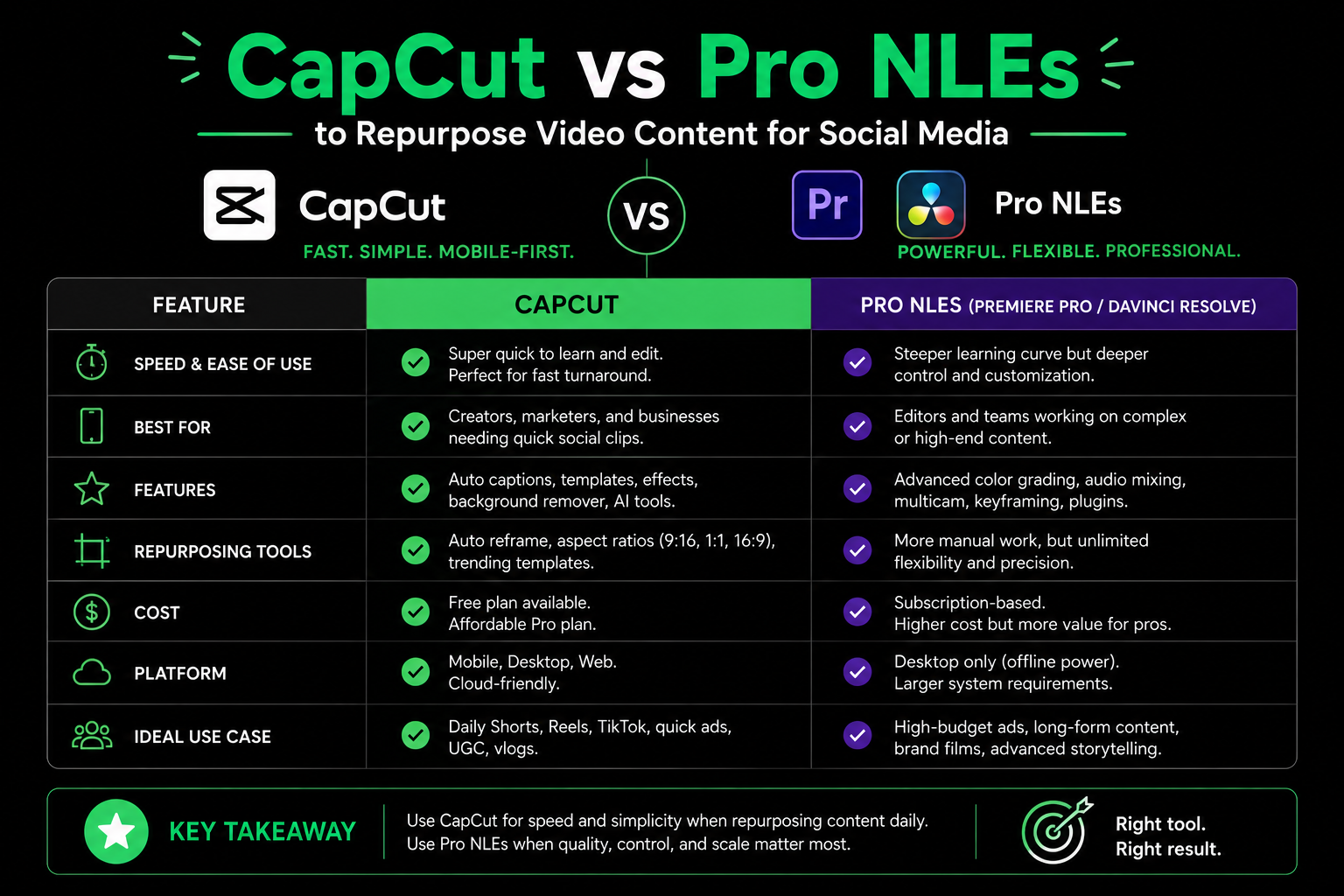
CapCut vs Pro NLEs to Repurpose Video Content for Social Media
The choice of the best platform is entirely on the kind of footage you begin with and the direction in which that content will end up.
CapCut was designed from the beginning to provide maximum speed. Features such as auto-captioning, tap-to reframe aspect ratios, intelligent background removal and rapid audio ducking makes it incredibly efficient when you have to repurpose video content for social media with a brief notice.
On the other hand, professionals who use Non-Linear editors (NLEs) such as Adobe Premiere Pro, DaVinci Resolve as well as Final Cut Pro offer complete creative control. If you have to repurpose video content for social media using multi-camera audio setups or logs from cameras with high bitrate Professional suites are able to handle complex timeline tracks multi-channel audio leveling and precise color graders without compression of the visual quality.
Feature / Metric
CapCut (Mobile / Desktop)
Professional Editors (Premiere / DaVinci)
Turnaround Time
between 10 and 20 mins per video
between 45 and 90 minutes for each clip
Auto-Captions
Built-in, high accuracy, instant styles
requires plugins, or manually alignment
Aspect Ratio Shift
One-tap auto-reframes for vertical video
Framing by hand or auto Reframe adjustments
Color & Audio Depth
Simple filters as well as basic sliders
Lumetri scopes LUTs, HTML0 and advanced equalizer controls
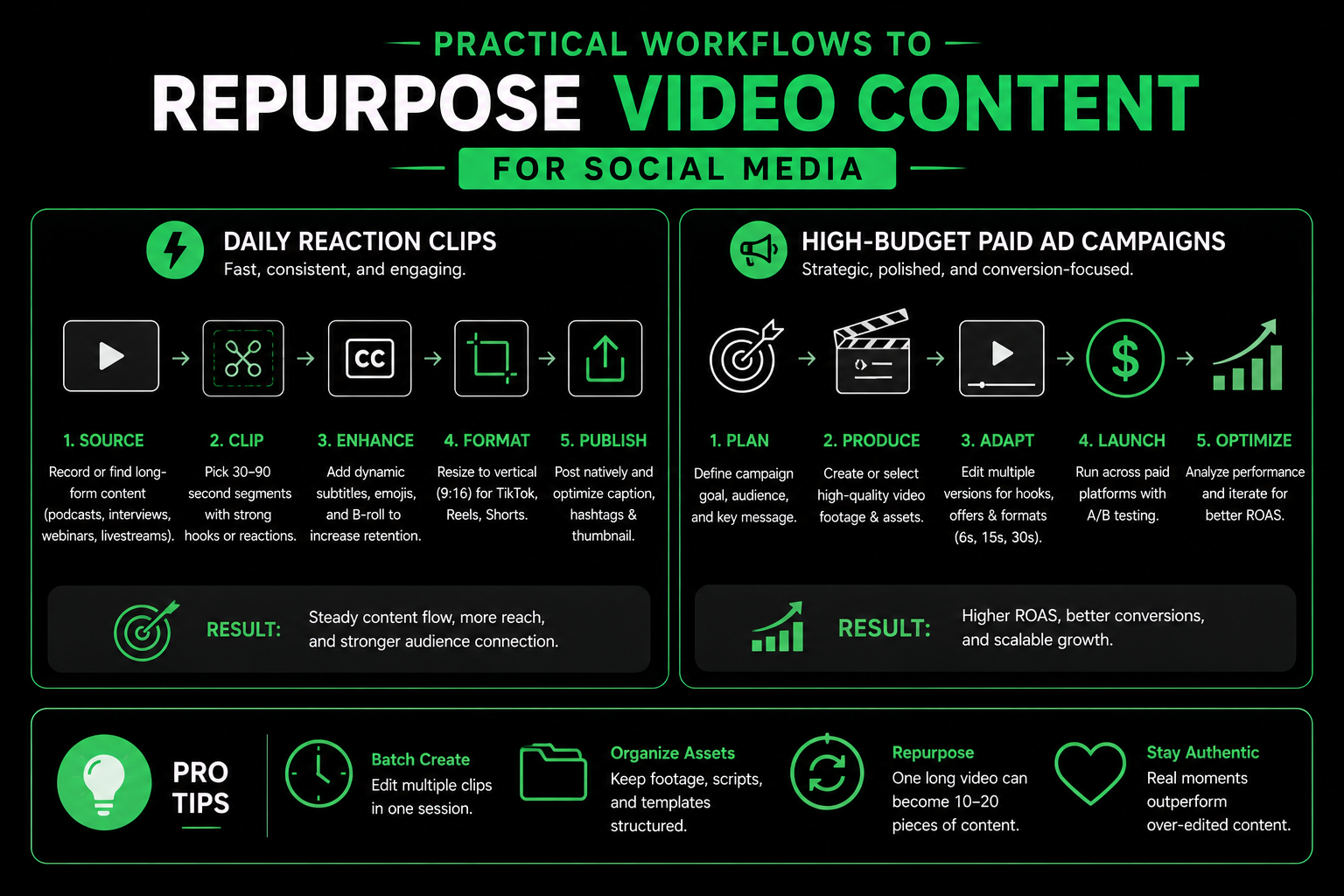
Practical Workflows to Repurpose Video Content for Social Media
To get the most output from your editing without overloading the creative staff, align your editing software directly to your goals for distribution:
Daily Reaction Clips:Utilize CapCut for your smartphone or laptop. It takes a few minutes to trim a video as well as apply auto-captions and publish. It’s the fastest method to repurpose video content for social media in the pursuit of daily trends.
High-Budget Paid Ad Campaigns:Use Premiere Pro or DaVinci Resolve. When you invest money in ads, taking the time to tidy up background audio and match the brand’s hex codes and improve the visual pacing will result in a better ROI on your ad.
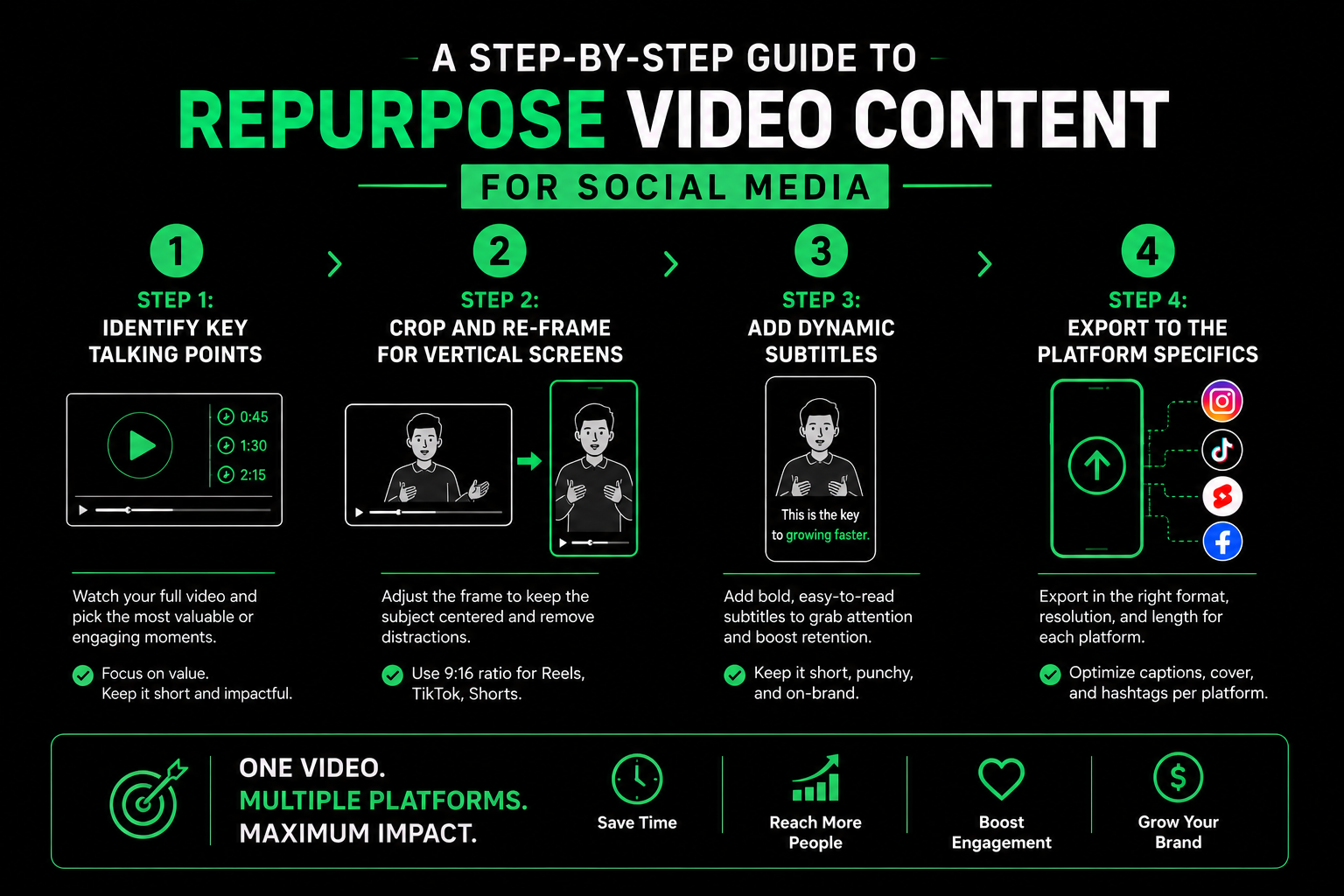
A Step-by-Step Guide to Repurpose Video Content for Social Media
If you’re trying to turn a 15-minute clip into a whole week’s worth of social videos in short form take this easy outline step-by-step
Step 1: Identify Key Talking Points
Take a look at your master recording, and mark 30 to 60 seconds of segments where an individual topic is discussed in detail. Find segments that offer an entire explanation or an engaging story or an answer straight to a frequently asked question.
Step 2: Crop and Re-Frame for Vertical Screens
Upload the snippet you have selected in your editors. If you decide to repurpose video content for social media alter the ratio of the canvas up to 9:16 (1080×1920 pixels). Utilize Auto-Reframe as well as manually centering the face of the person speaking so that they’re prominent throughout the video.
Step 3: Add Dynamic Subtitles
As over 70 percent of mobile users stream videos in silence while they commute or in public areas The need for captions is a must. Automated caption generators can translate your audio and then design the text using strong fonts and colors to keep the viewers interested.
Step 4: Export to the Platform Specifics
Export your short clips in H.264 and MP4 format. They will be at 1080p resolution, and thirty or sixty frames/second. This will ensure that your videos upload seamlessly across Instagram, TikTok, Facebook Reels and YouTube Shorts, without being blurred by compression on platforms.
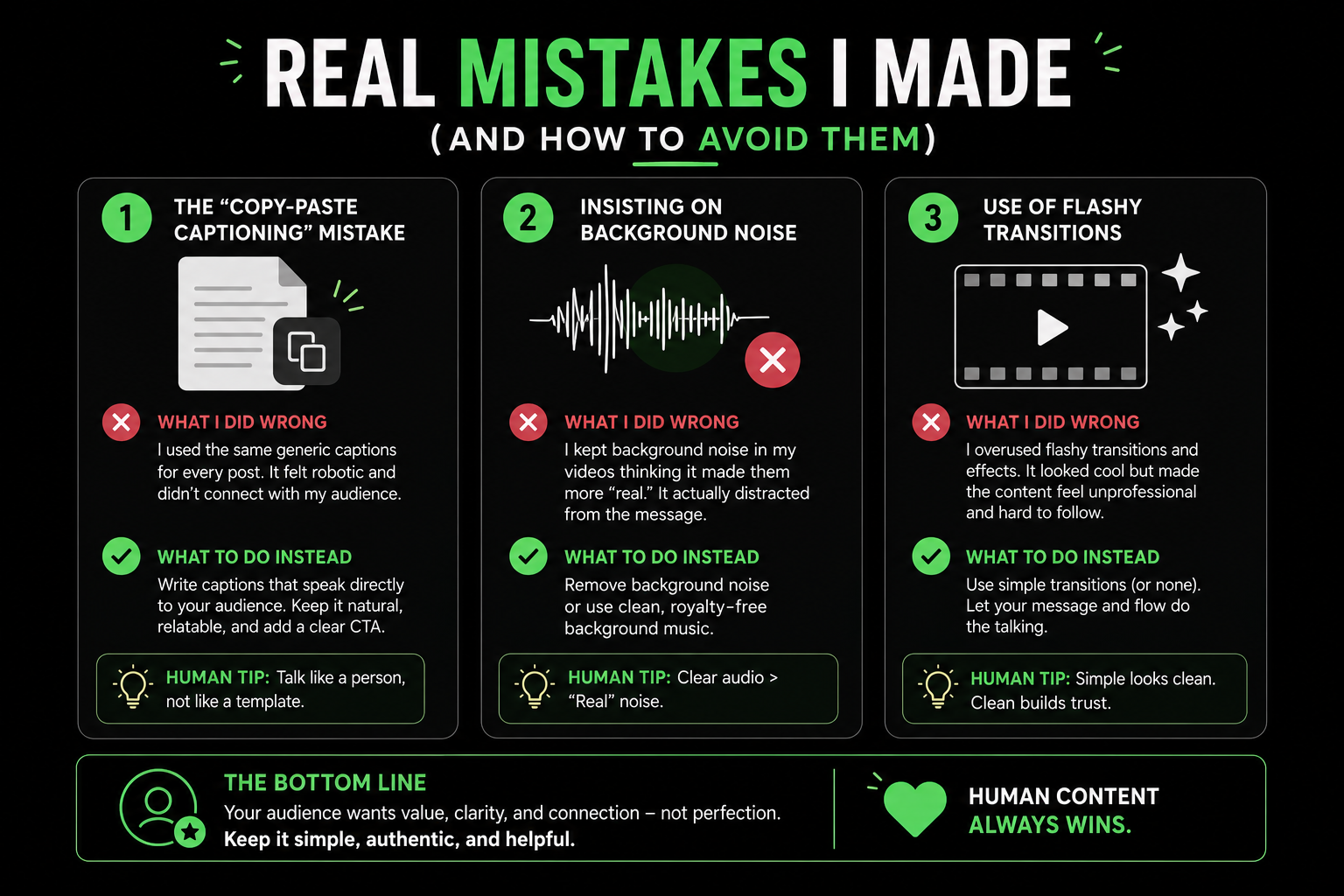
Through my experience in making videos I made a few mistakes that delayed my workflow while learning to repurpose video content for social media:
The “Copy-Paste Captioning” Mistake: Relying on auto-captions and not going through them before you use them can lead to embarrassing mistakes. Always double-check your transcriptions for the brand name, local language and technical jargon before publishing.
Insisting on Background Noise:Try to save audio from an environment with basic filters will not work. Make sure you have a wireless microphone for the initial recording process for post-production editing that is simple.
Use of flashy transitions:Adding chaotic spin or zoom effects every two seconds diverts attention from the message. Make visual edits clear and simple to follow.
Learning how to effectively repurpose video content for social media helps keep your calendar for posting full and helps you stay within your budget for production.
Summary
The ability to repurpose video content for social media can be the best and most reliable method to establish a solid web presence to promote your company. Through combining the fast auto-captioning, re-framing and auto-re-framing mobile apps such as CapCut to provide daily updates, along with the precise audio and color monitoring of professional NLEs for major campaigns, you are able to increase your company’s reach via video while keeping costs for production low.
Give us a try!
Check out our Portfolio or Send us a Message to get started.
Frequently asked questions provide short answers to common queries related to the topic. This section helps readers quickly understand key points and improves search engine visibility by addressing popular search questions. It also makes the content easier to navigate and increases the chances of appearing in Google featured snippets.
Repurposing lets you extract maximum value from one long-form video. It will save you hours of filming and scripting time, while also making sure your social media feeds are alive with constant messaging.
CapCut is able to modify longer video clips, however it is a great tool for quick vertical edits. For complex, long-running projects that feature multi-track audio and multi-camera angles professional desktop editors such as Premiere Pro and DaVinci Resolve offer better stability.
Audio clarity and active captions. If the viewers cannot comprehend the message within the initial three seconds, they'll move past your video regardless of how impressive the video appears.
Let's Have a Chat
Leave us a message. Our team will contact you with in 6 hours. Got nothing to ask? Just drop us a dm for a casual conversation.